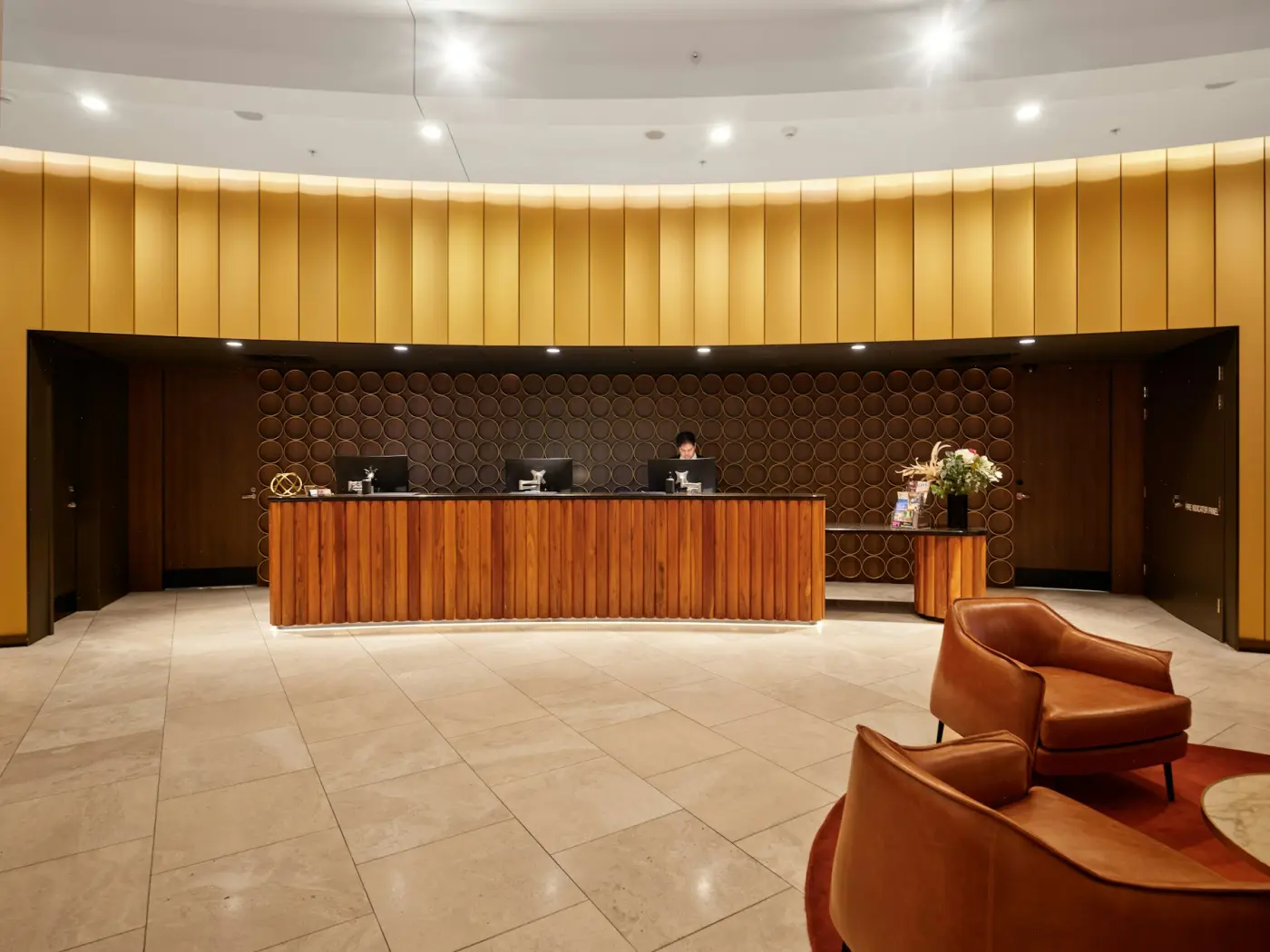
01 · Front desk
The board that tells you where the house stands.
Arrivals, departures and everyone in between, on one screen. Search a free room for any run of dates and the price comes back with it, tax already inside.
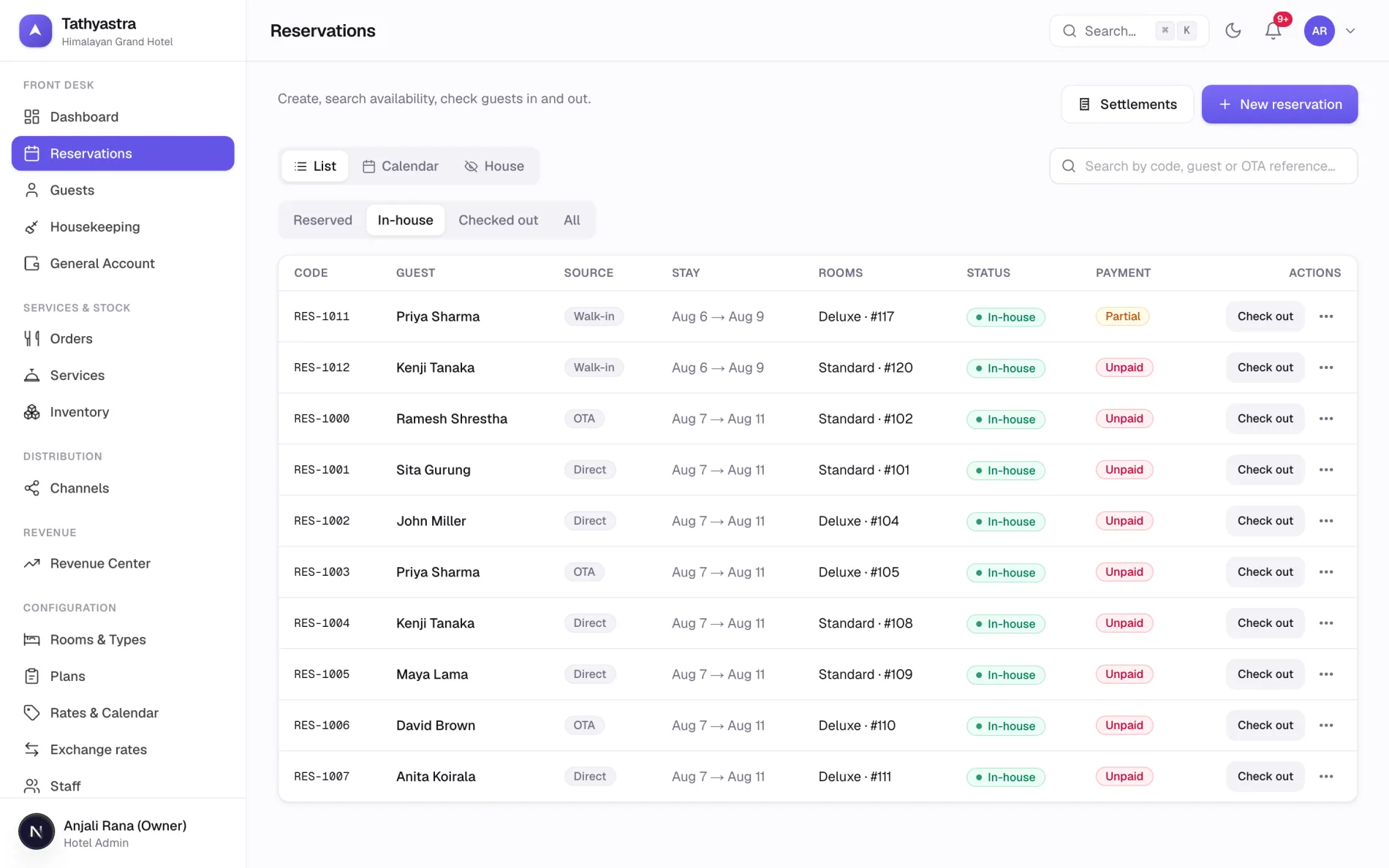
- Three views of the same house. A list for working through, a calendar for seeing the shape of the week, and a floor view for who is in which room.
- Book by the number of rooms. Pick the exact rooms now, at check-in, or leave it to the morning.
- A check-in that walks you through it. Guest details, identity documents, extra beds, and the price recalculated as you go.
- Wrong room, or a move mid-stay. Correct it and the whole stay reprices, or move the guest from Thursday and only the nights after Thursday change.
- Housekeeping in the loop. Room states move as guests come and go, and a broken shower stays on the list until somebody fixes it.
02 · Guests
One guest, one history, however many stays.
Start typing a name and the guest who stayed last winter comes up, with the room they liked and what they usually spend.
- More than one way to reach them. Several phone numbers and email addresses per guest, with one marked as the one you actually use.
- Identity documents where you need them. Passport or citizenship details captured at check-in and kept with the guest.
- Duplicates caught early. Tathyastra spots the two records that are really the same person and lets you join them into one, keeping every stay.
- Nationality, language and when they expect to arrive come across from the travel site, so the desk is ready before they are.
03 · Guest bills
A bill that explains itself at the desk.
Charges on the left, money on the right, balance always in view. Every night keeps the rate it was sold at, so changing your prices tomorrow leaves the guest staying tonight alone.
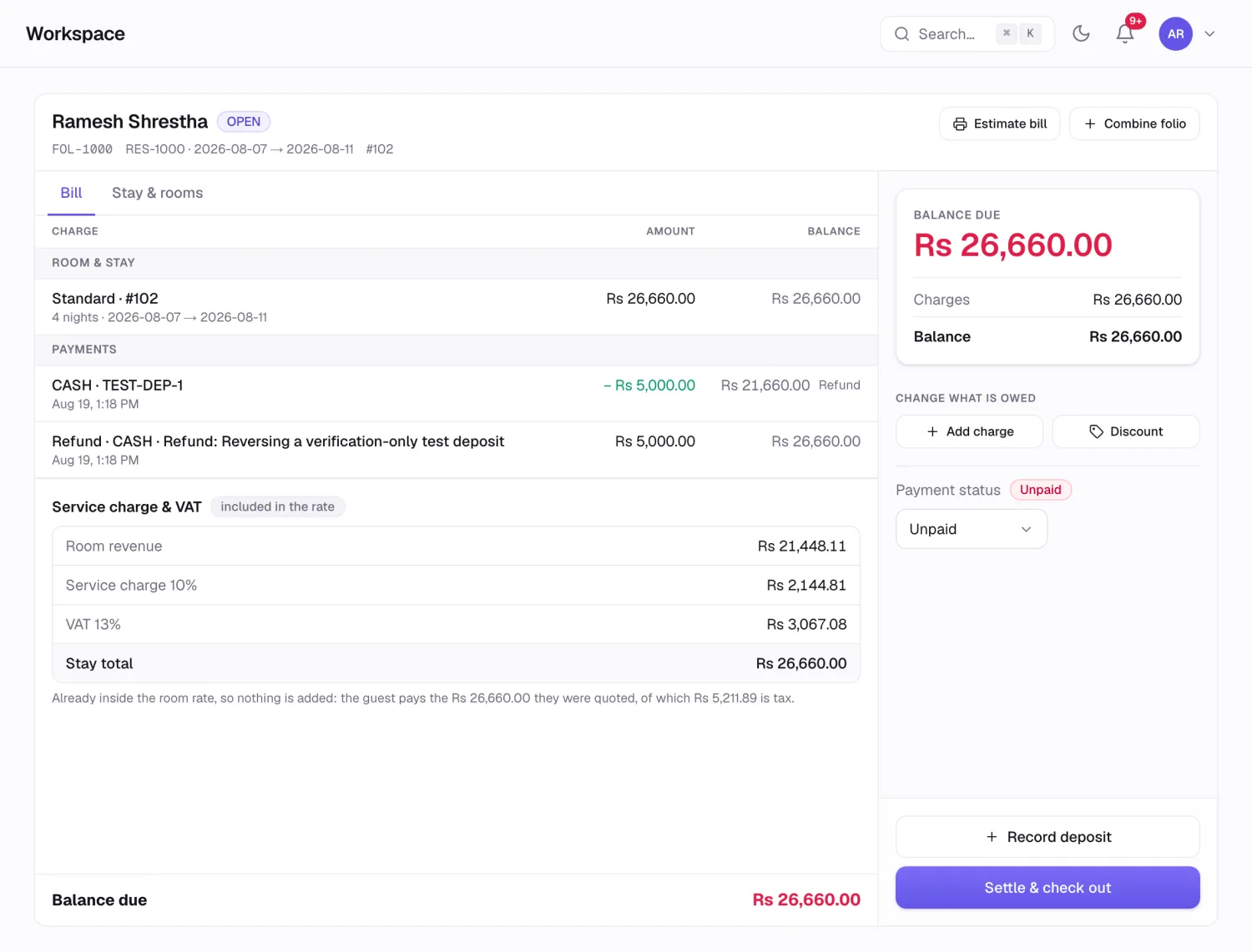
- Tax the Nepali way. The rate you publish already contains the service charge and VAT. The bill shows all three lines, and they add back to the price the guest was quoted.
- Two bookings, one bill. Combine them when a family arrives on separate reservations, or split a group bill room by room for the company to settle.
- Deposits and part payments land with a time and the name of whoever took them.
- More than one currency at once. A bill can hold a rupee balance and a dollar balance, each settled in its own money.
- An owner's discount as a flat amount or a round number to finish on, recorded as its own line, so anybody reading the bill can see what was given.
04 · Cash and shifts
The drawer, the bank, and the day in between.
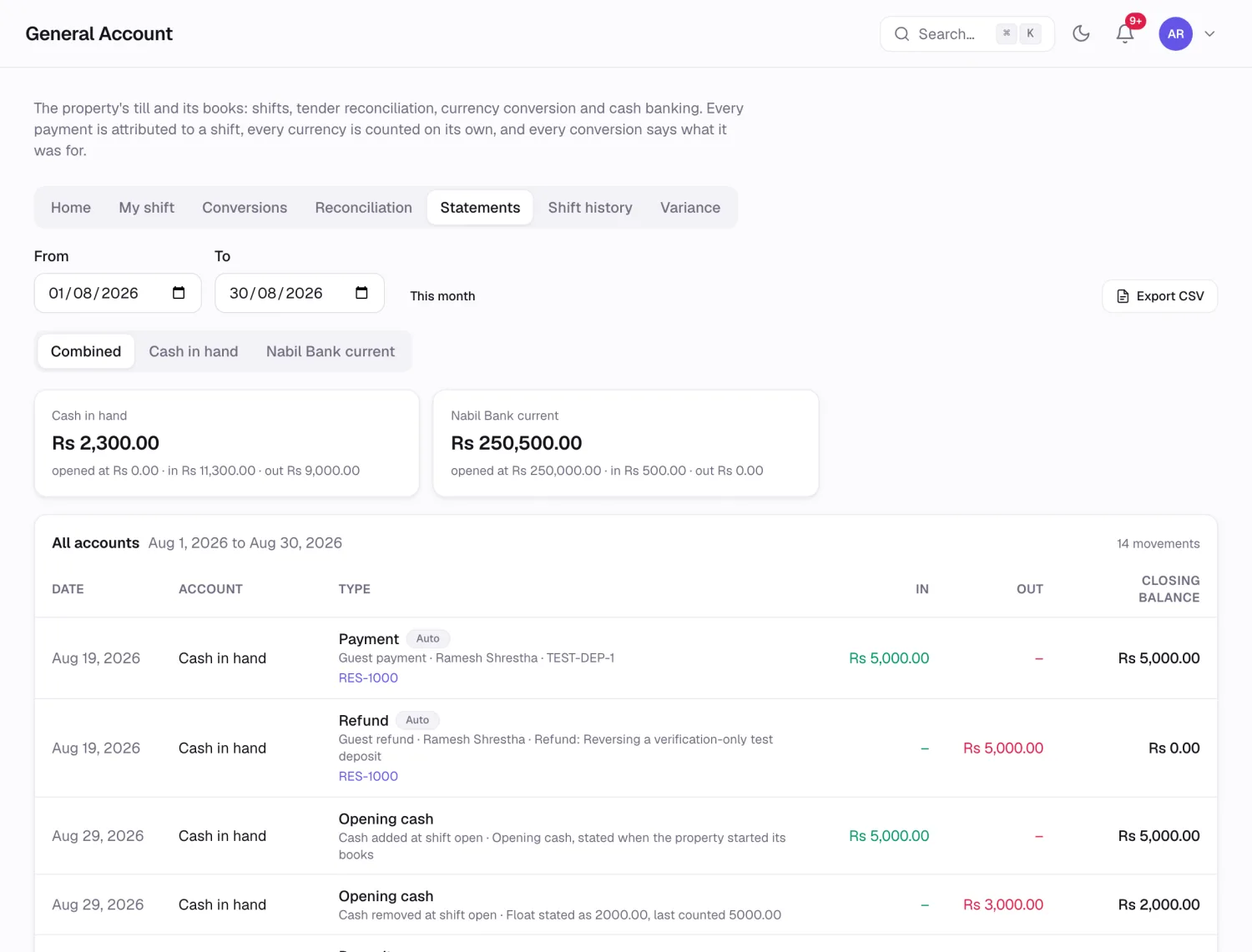
Open a shift, take money, pay a supplier, bank the excess, count and close. Every one of those leaves a line you can point at next month.
- Close in two steps. First look at what should be there, worked out line by line. Then count, type one figure, and explain the difference if there is one.
- Tomorrow opens on tonight's count. Nobody starts the morning by typing a number from memory.
- One person at a time. While a drawer is being counted, a second person is told to wait. A guest paying at the desk still goes through, and the count simply asks to be redone.
- Statements you can hand over. Per account or all together, filtered by date, exported for your accountant.
- A shift history with who opened, who closed, what was counted and what the difference was.
05 · Travel sites
Your rooms on every site, from one rate sheet.
Booking.com, Expedia, Agoda, Airbnb and the rest all read from the prices and availability you keep here. Set it once and it lands everywhere.
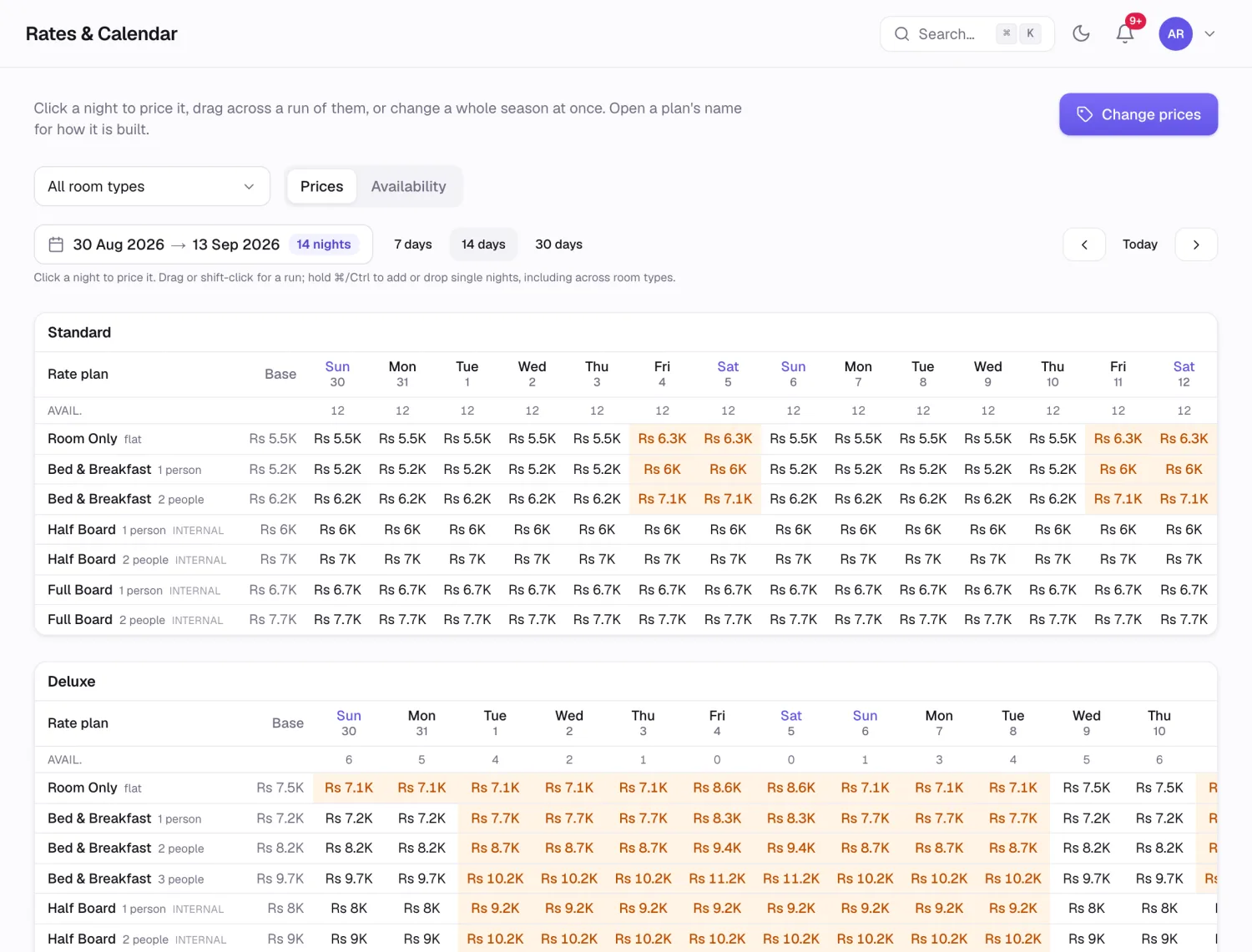
- Availability moves the moment a room is held, whether the booking came from reception or from Booking.com at three in the morning.
- Minimum stays, closed dates and no-arrival days go out with the prices.
- Bookings come back complete, with the guest's details, the nights, and the amount the site agreed with them.
- The agreed price is the price. A room sold through a site is billed at what that site promised the guest, even if your own rate card has moved since.
- A quiet retry. If a site is having a bad afternoon, Tathyastra keeps trying in the background and tells you when everything is level again.
06 · Pricing
Charge more on the nights you can.
Write a rule in a sentence: when the house passes eighty percent, lift the Deluxe rooms by fifteen. Tathyastra watches the dates and does it.
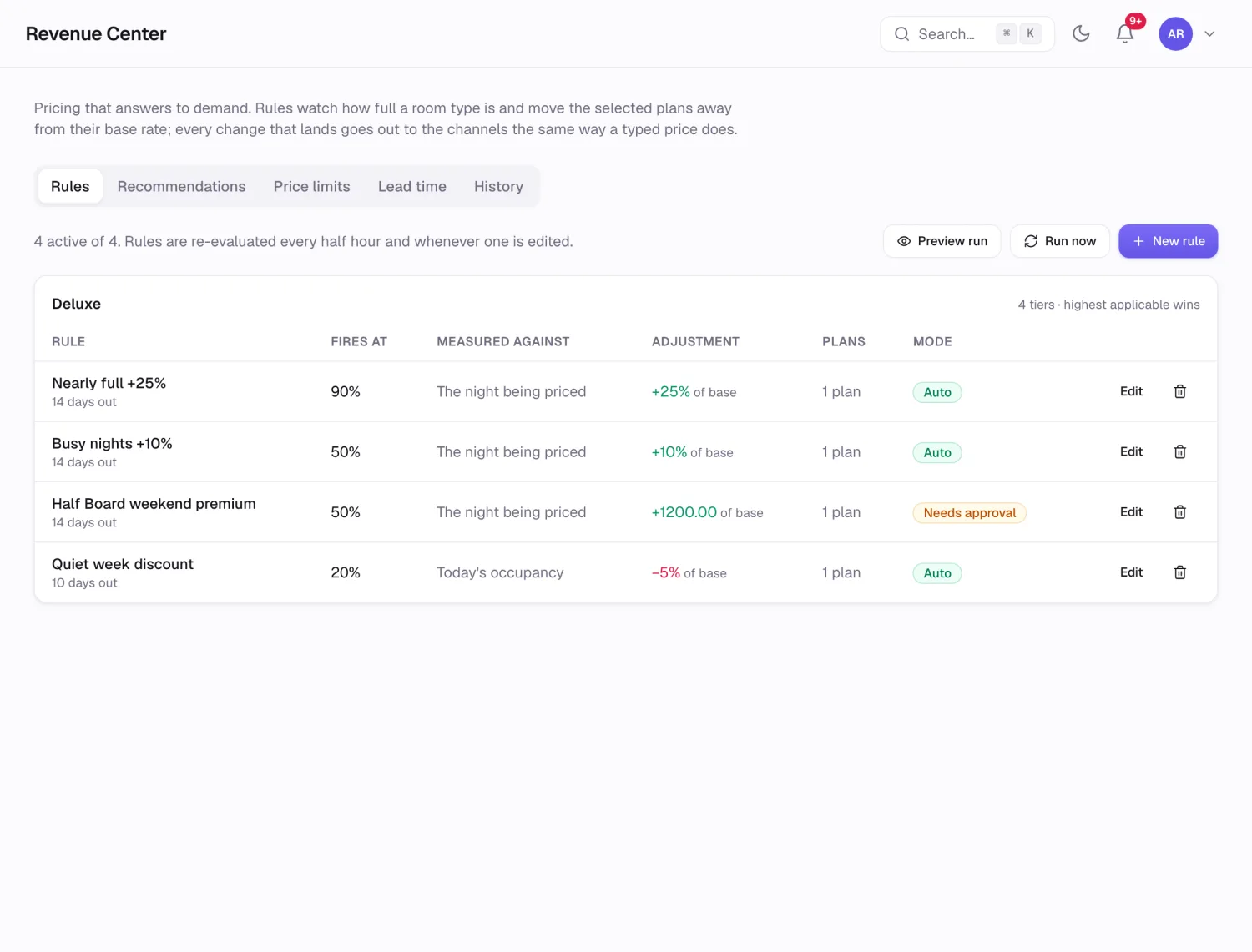
- Automatic, or only with your nod. Each rule either applies itself or waits in a list for you to approve.
- Always measured from your base price, so two busy weeks in a row cannot stack one increase on top of another.
- A price you typed by hand always wins. Set a rate for the festival weekend and no rule will touch it.
- Per room type and per plan, so your Standard rooms and your Deluxe rooms can behave differently.
- Undo a whole rule and the nights it touched go back to what they were.
07 · Reports
The numbers your owner asks for, before they ask.
Occupancy, revenue, average rate and where the business came from, worked out on your own business day.
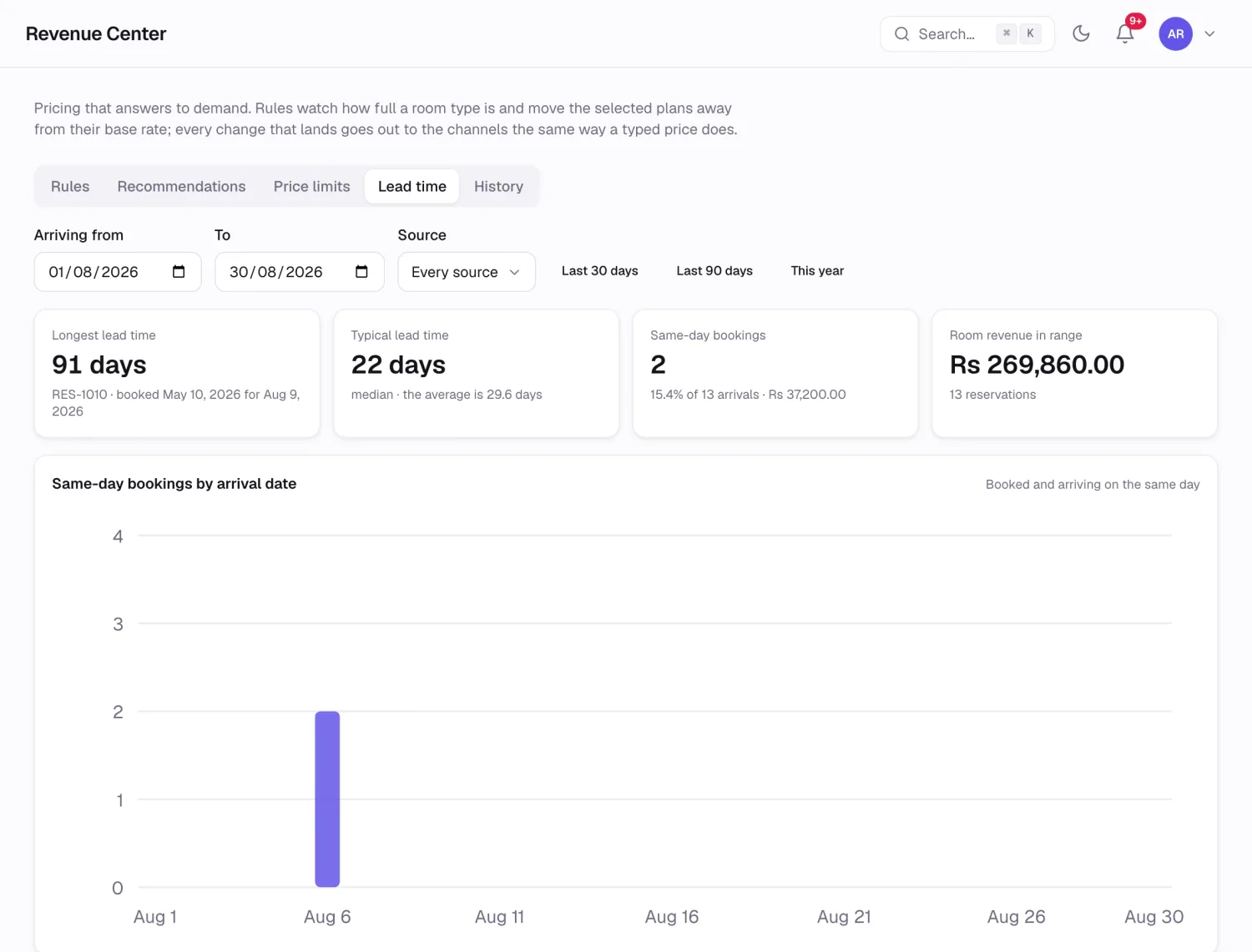
- How far ahead people book, split into bands with the revenue behind each one, so you know when to open a promotion.
- Where the guests came from. Each travel site, your own website, walk-ins and agents, side by side.
- A daily, weekly or monthly summary by email, with a chart, sent to whoever should be reading it.
- Every figure can be opened up until you are looking at the individual bookings behind it.
08 · Restaurant and stock
Meals, laundry, the airport pickup.
Anything you sell that is not a room, taken at the till or charged to the room, with the store cupboard keeping up.
- Menus with opening hours, so breakfast stops being orderable at eleven.
- Charge to the room or settle now. Either way it appears once, in the right place.
- Recipes behind the dishes. Sell a plate of momos and the flour, the filling and the oil come off the stock.
- Buying in. Enter a delivery by quantity, by rate, or by the total on the invoice, and the missing figure is worked out for you.
- Service charge per item, on by default and switched off where it does not belong.
- Billed something to the wrong room? Undo it, and the charge, the payment and the stock all go back.
09 · Your team
Everyone gets the screens they need.
Reception, housekeeping, the restaurant, the accountant and the owner all see a different system, and it is the same system.
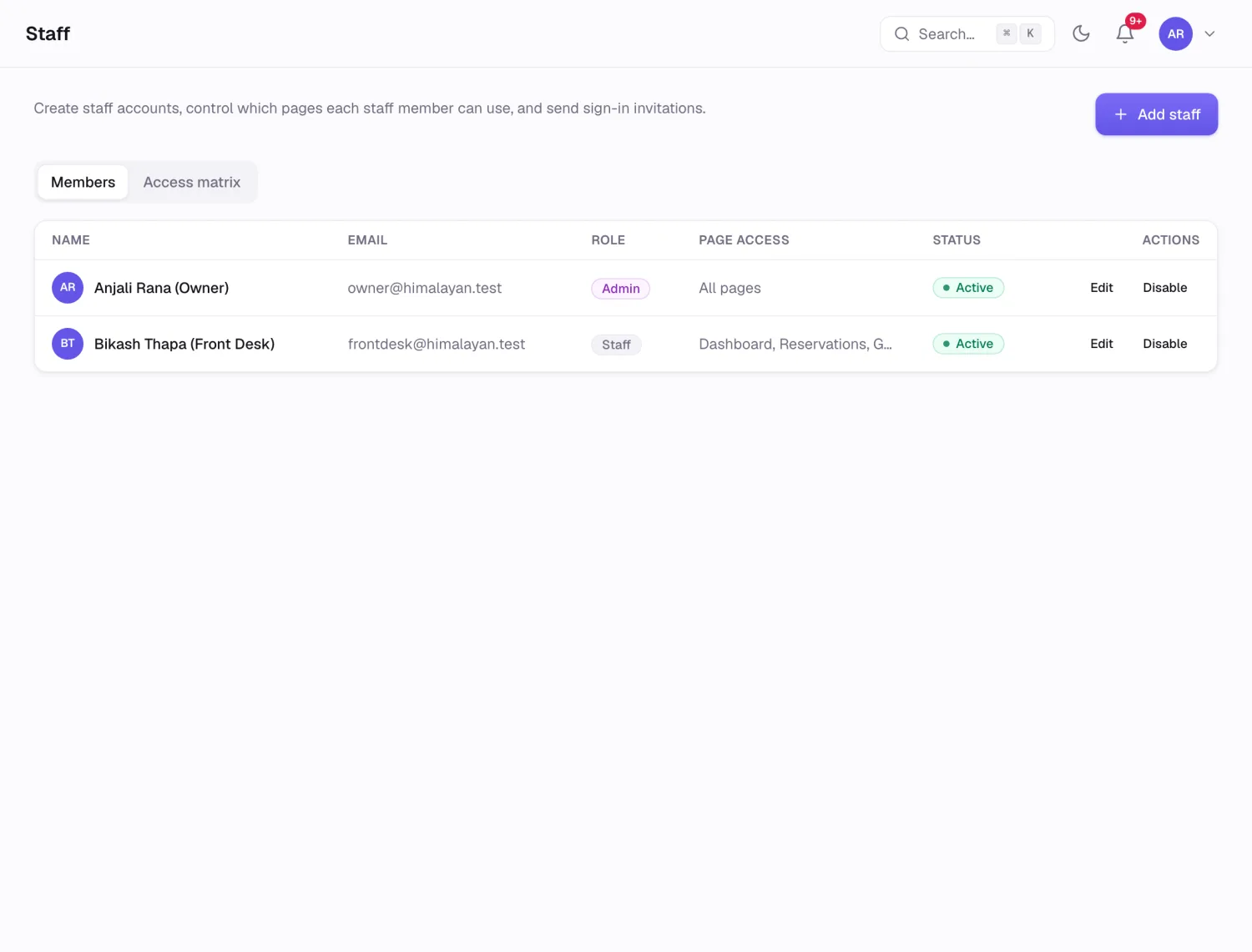
- Page by page. Give someone the rates screen without giving them the books.
- A record of who changed what, in plain language, with the old value beside the new one.
- Put it back. A settings change made by mistake can be undone from that record.
- The same on a phone. Walk the floors, check a guest in, take a payment, without going back to the desk.